Connect Your First Device
Prerequisites: A Linux device with internet access and sudo privileges. See supported platforms for minimum OS versions.
No device? Try Docker
If you don't have a Linux device available, you can follow the virtual agent demo using Docker instead.
Step 1 — Create a Qbee account
Go to app.qbee.io and sign up for an account.
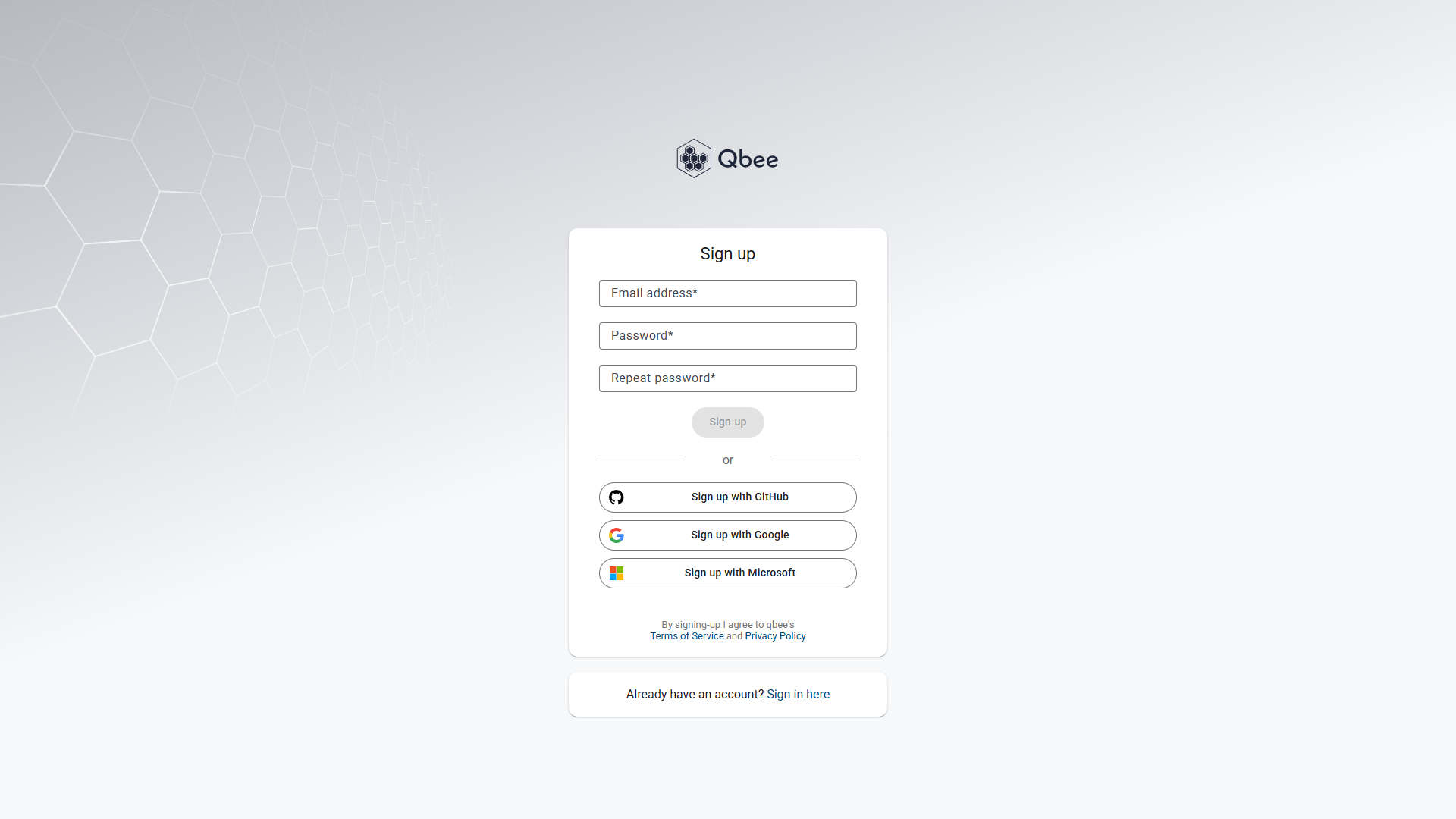
Expected outcome: Your account is created and you can log in to the Qbee web console.
Step 2 — Open Bootstrap keys
In the Qbee console, click your display name in the top-right corner and select Bootstrap keys.
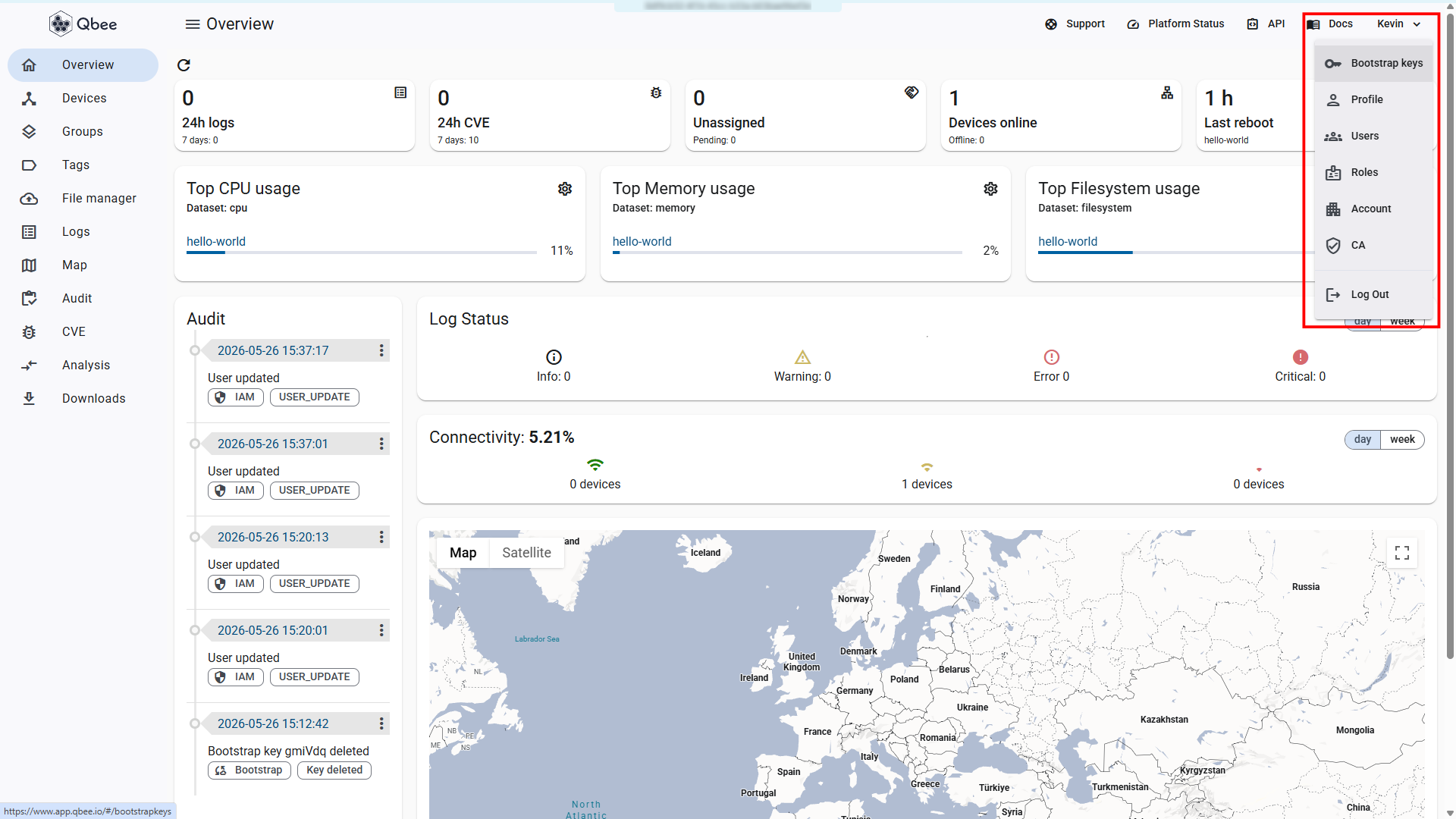
Expected outcome: The Bootstrap keys page loads (see Step 3).
Step 3 — Create and copy a bootstrap key
Click Generate a new key. Copy the key string.
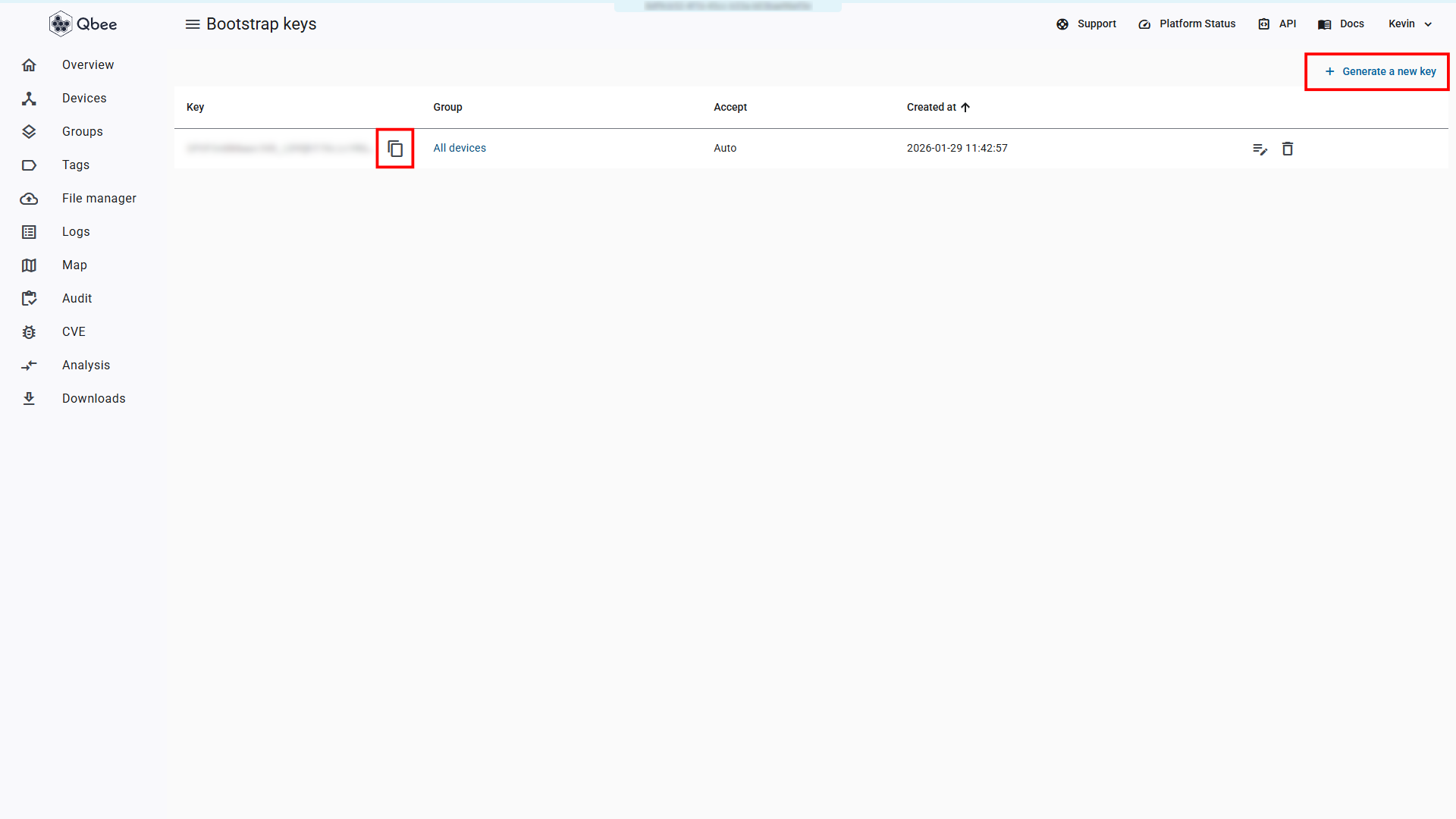
Expected outcome: You have a bootstrap key string copied to your clipboard.
Quick path
On the Devices page, click Add device. This provides the bootstrap key and install command in one place, bypassing Steps 2 and 3.
Step 4 — Install the Qbee agent
On your Linux device, run:
wget -qO - https://setup.qbee.io | sudo bash -s -- --bootstrap-key <bootstrap-key>
Replace <bootstrap-key> with the key you copied in Step 3. The agent installs and starts automatically.
Expected outcome: The terminal output ends with a success message indicating the agent is running.
Installation not working?
See Agent installation fails for diagnostic steps.
Step 5 — Verify the device is online
Return to the Devices page in the Qbee console. Within 1–2 minutes, your device appears in the device list with a green status indicator.
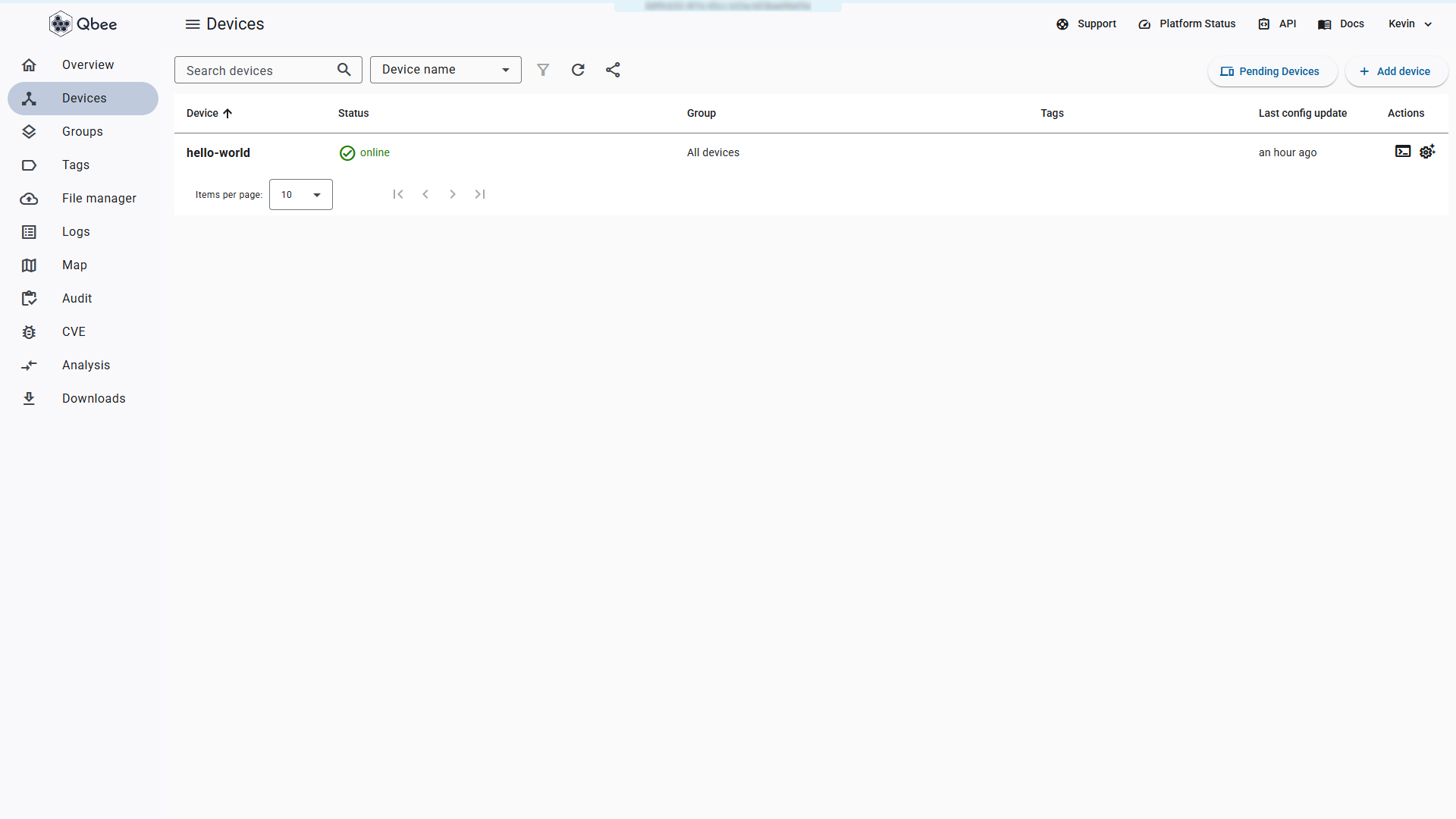
Expected outcome: The device shows "Online" status with a green indicator in the console.
Device not appearing?
See Device shows Offline for diagnostic steps.
Done
Your device is connected to Qbee and reporting its status. The agent will continue running as a system service, polling for configuration changes.
What Next?
Choose what to do next based on your goal:
| I want to... | Go to |
|---|---|
| Apply my first configuration to the device | Apply Configuration |
| Organize devices with tags | Organize Your Fleet |
| Deploy the agent to multiple devices using a script | Script-Based Deployment |
| Understand how the platform works under the hood | Understanding Qbee |