Apply Configuration
Prerequisite: You have completed Connect Your First Device and your device is online in the Qbee console.
This tutorial teaches one concept: commit-then-converge. You define a desired state, commit it, and the agent converges your device to match.
Step 1 — Open the Configure tab
In the Qbee console, select your device from the Devices page and click the Configure tab.
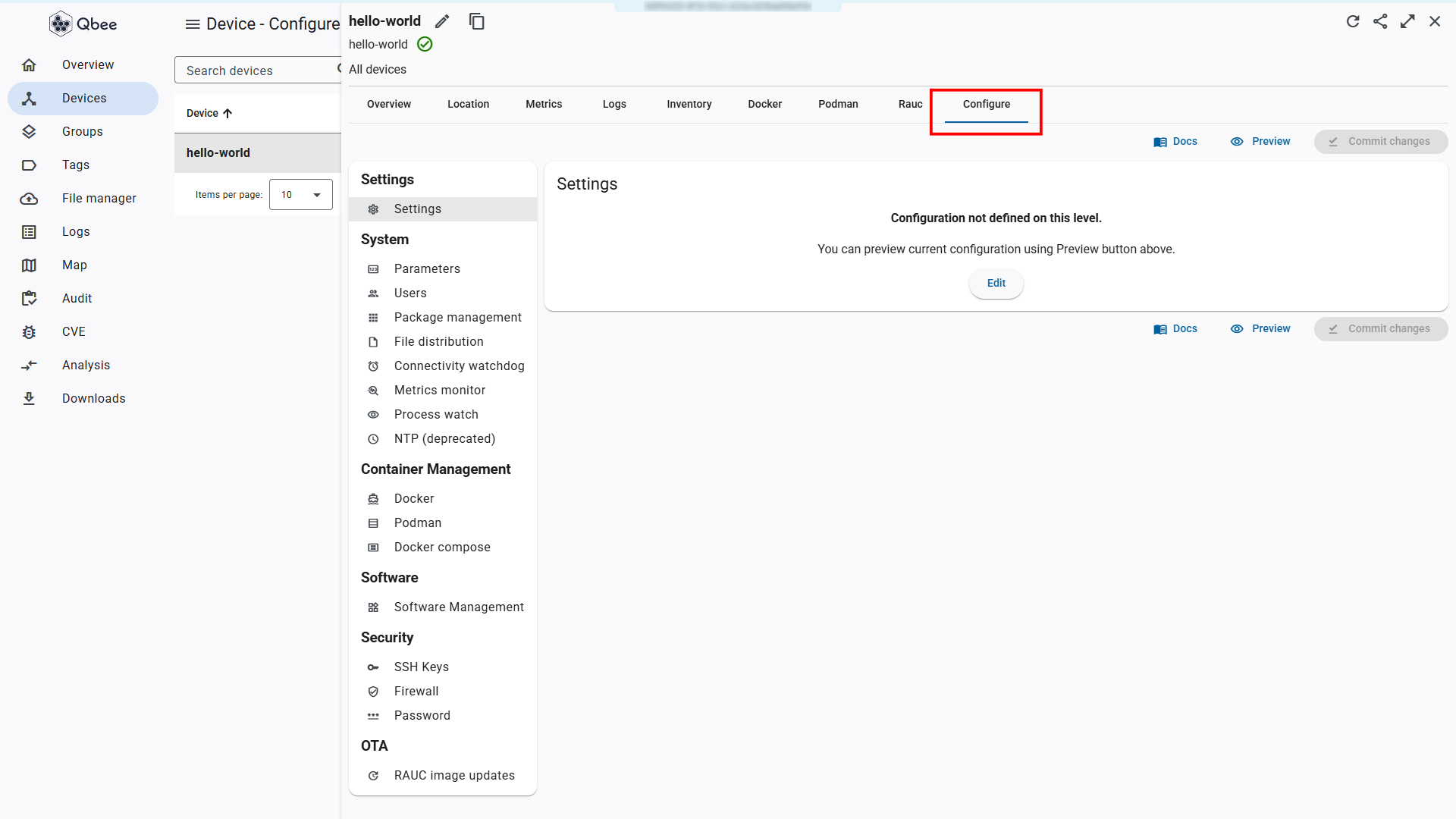
Expected outcome: The configuration interface loads showing available configuration bundles.
Step 2 — Add a user and save
Under System → Users, add a new user with username demo. Click Save changes to store the settings.
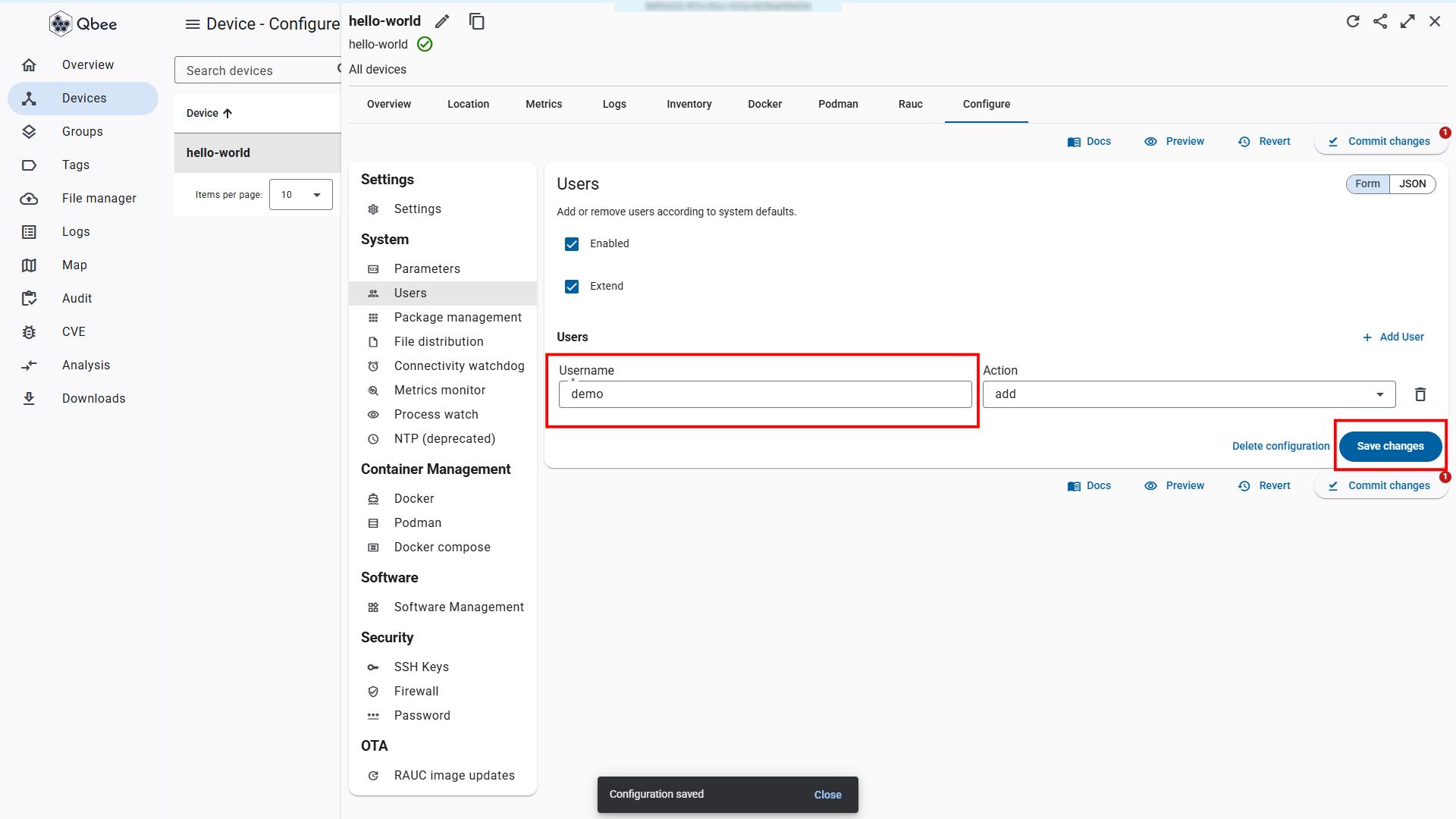
Expected outcome: The save confirmation appears. The user demo is staged but not yet committed to the device.
Step 3 — Commit changes
Click Commit changes to push the configuration to your device. In the commit dialog, optionally enter a commit message and click Commit. The agent will pick up the new desired state on its next reporting cycle.
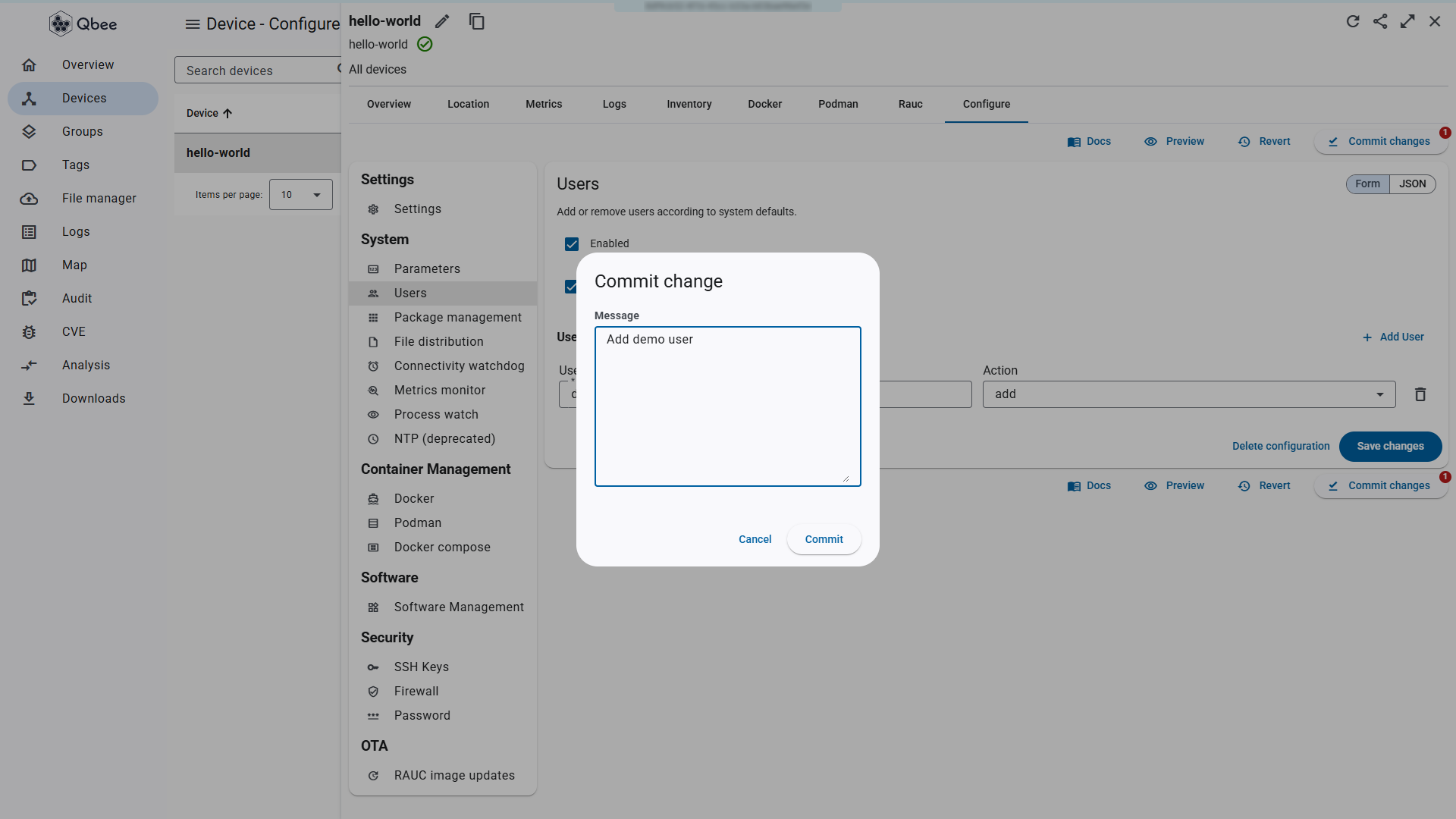
Expected outcome: A notification appears saying "Commit successful".
Step 4 — Verify in the audit log
Navigate to the Audit log. Find the entry for your commit.
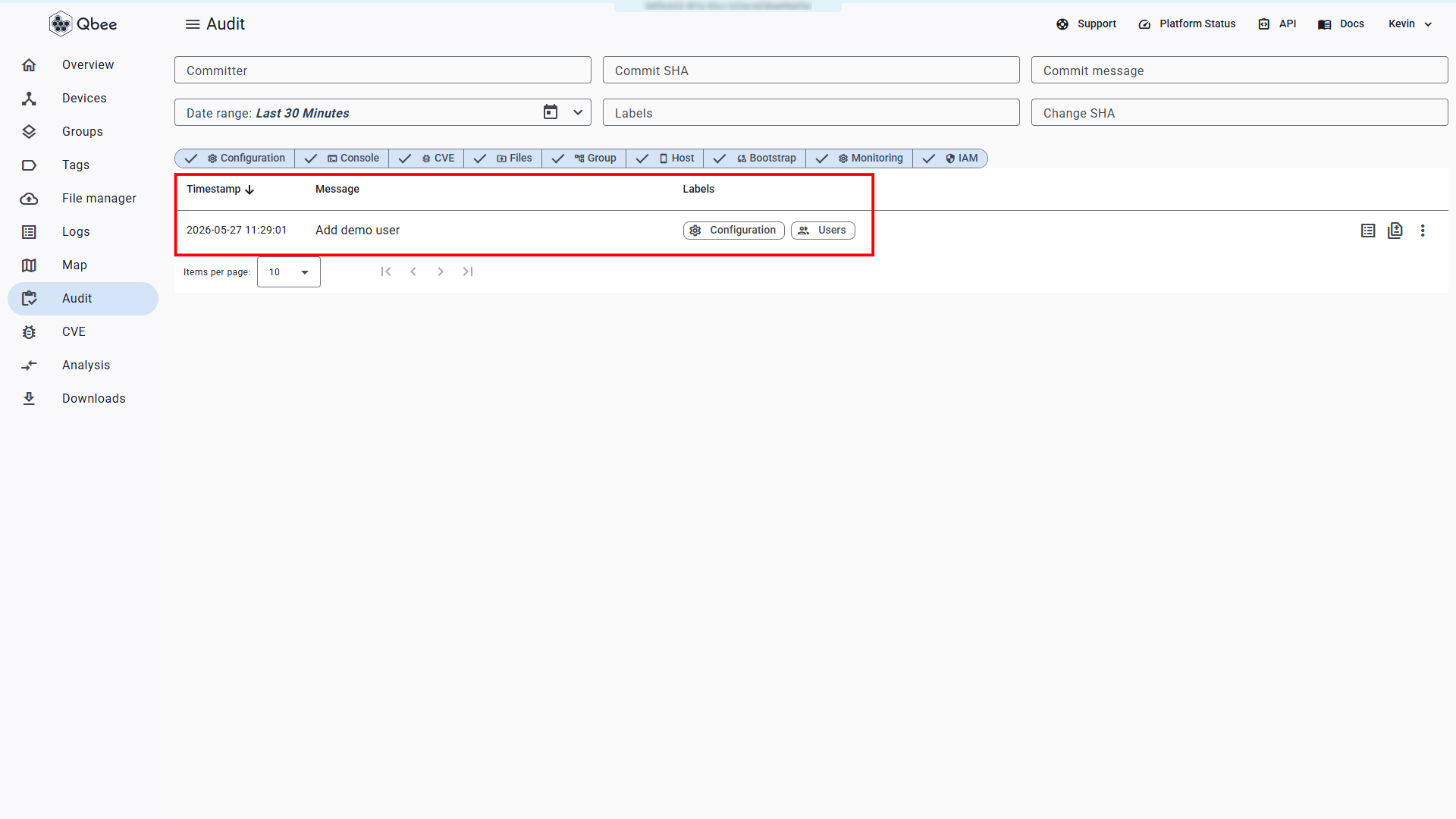
Expected outcome: The audit log shows an entry with a recent timestamp and a message describing your configuration change.
Configuration not applied?
See Configuration not applied for diagnostic steps.
Step 5 — Confirm user exists
On your device, verify the user was created:
getent passwd demo
Expected outcome: A line containing demo appears, confirming the user exists.
Remote Console
If remote access is enabled, you can also run commands on your device from the Qbee console. Go to the Devices page and click the console icon under Actions, or click your device and select Open console on the Overview tab.
User not found?
See User 'demo' not found for diagnostic steps.
Done
You have applied a configuration change using the commit-then-converge model. The agent downloaded the desired state and converged your device to match it, without requiring SSH access.
What Next?
| I want to... | Go to |
|---|---|
| Organize devices with tags | Organize Your Fleet |
| Understand the commit-then-converge model in depth | Understanding Qbee |